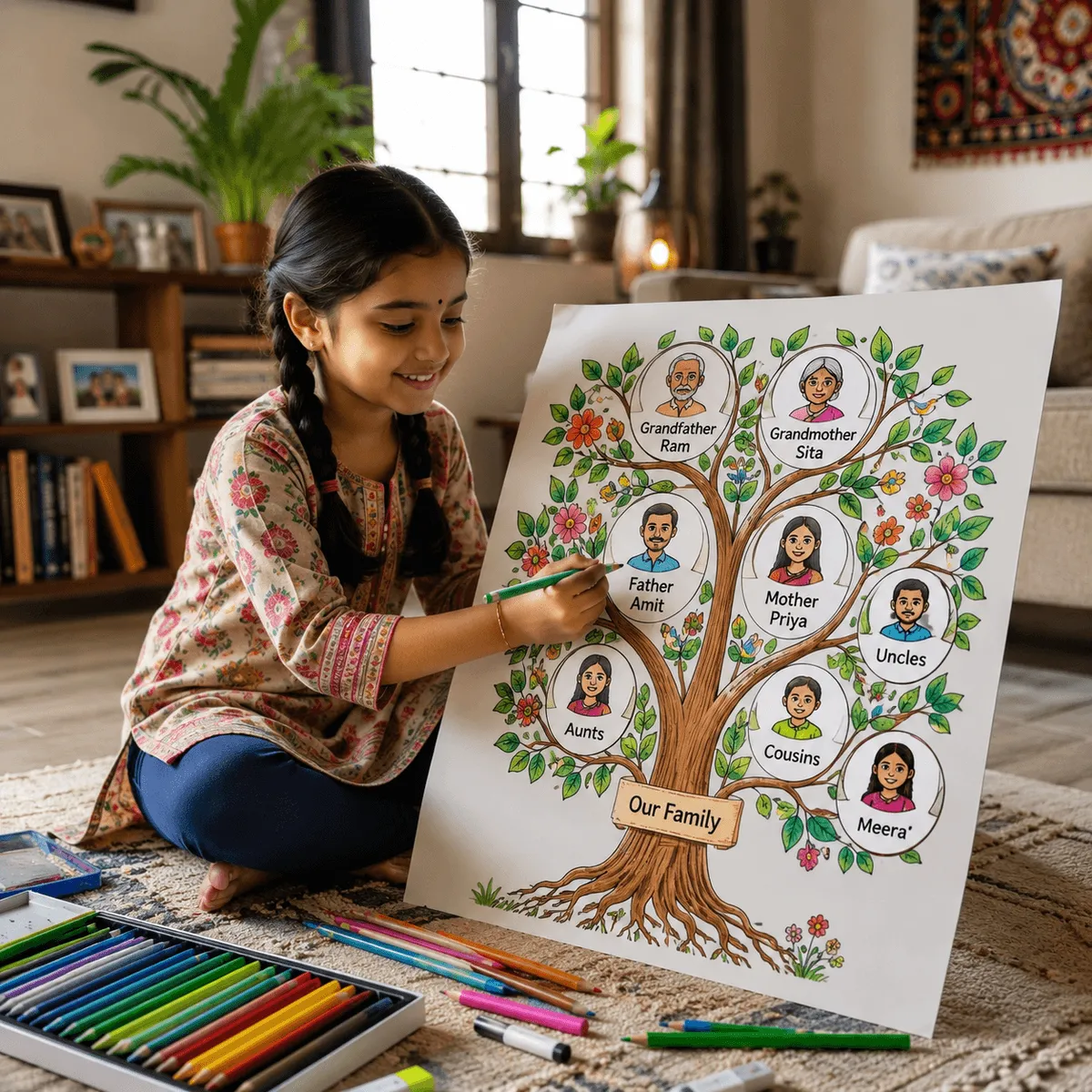
What Is a Family Tree (Parivar Ka Ped)?
A family tree — called parivar ka ped (परिवार का पेड़), vansh vriksha (वंश वृक्ष), or parivar vriksha (परिवार वृक्ष) in Hindi — is a visual diagram that maps relationships across generations. It starts from a common ancestor (root) and branches outward through children, grandchildren, and their families.
In India, family trees have existed for millennia. The Ramayana traces the Suryavansh (solar dynasty). The Mahabharata documents the Chandravansh (lunar dynasty). Every Indian family, regardless of caste or region, has a story worth documenting.
Why Every Indian Family Needs One
- Preserve heritage — India is losing 2+ million elders every year. Their stories vanish with them unless recorded.
- Know your rishtas — In large Indian families, cousins from different branches lose track. A tree keeps everyone connected.
- Legal uses — Succession, property disputes, caste certificates, and passport lineage all require genealogical proof.
- Medical history — Hereditary conditions (diabetes, heart disease, thalassemia) become visible when tracked across generations.
- Cultural identity — Knowing your gotra, kul devta, and mool sthan roots you in your culture.
- Children’s education — School projects frequently require a family tree. Having one ready saves last-minute scrambles.
Step 1: Gather Information from Elders
The most important step happens before you touch any app. Sit down with your grandparents, parents, uncles, and aunts and ask:
- What are the full names of your parents and grandparents?
- Where did they originally live (village, district, state)?
- What was our gotra? Who was our kul devta?
- How many siblings did Dada/Nana have? What were their names?
- Are there any old photos, letters, or documents?
- Were there any family stories, migrations, or significant events?
Pro tip: Record these conversations on your phone. Elders often remember details during natural conversation that they forget when asked directly.
Step 2: Map Paternal and Maternal Branches
Indian families have two major branches:
- Paternal (पिता पक्ष) — Dada, Dadi, Tau, Tai, Chacha, Chachi, Bua, Fufa, and their children.
- Maternal (माता पक्ष) — Nana, Nani, Mama, Mami, Mausi, Mausa, and their children.
Traditional vanshavalis only recorded the paternal line. But a complete parivar ka ped includes both sides equally. Your Nani’s family is just as much your heritage as your Dada’s.
Step 3: Build Your Tree Digitally with ParivaarPro
- Open ParivaarPro Family Tree Maker — no login required.
- Start with yourself. Add your name, date of birth, and gotra.
- Add your parents. The app auto-labels them as “Pita” (पिता) and “Mata” (माता).
- Add grandparents (Dada-Dadi, Nana-Nani). Each generation expands the tree.
- Add siblings, their spouses, and children. The tree branches outward.
- Upload photos for each member. A visual tree is far more engaging.
- Fill in details: birth place, gotra, kul devta, occupation, notes.
ParivaarPro renders a beautiful, interactive tree that you can zoom, pan, and share with relatives.
Step 4: Hindi Rishta Labels (Auto-Applied)
When you add relatives, ParivaarPro automatically computes and displays the correct Hindi relationship name. Father’s elder brother? ताऊ (Tau). Mother’s brother’s wife? मामी (Mami). No memorisation needed.
This is critical for Indian families where the same English word (“uncle”) maps to 6 different Hindi terms, each with distinct cultural significance.
Step 5: Add Photos and Stories
A family tree without photos is just a chart. With photos, it becomes a living document that future generations will cherish. Tips:
- Scan old photos — Use your phone’s camera or Google PhotoScan app. Upload to ParivaarPro.
- Add notes — “Dadaji served in the 1971 war” or “Nani was the first girl in her village to attend school.”
- Record stories — Even a paragraph of text about each person makes the tree infinitely more valuable.
Going Deeper: How to Research Ancestors
If you want to trace your family beyond what living elders remember, try these sources:
- Panda records (Haridwar/Gaya) — Tirth purohits maintain centuries-old registers. Contact Ganga Sabha Haridwar to find your family’s panda.
- Village patwari records — Land records (khatiyan/khasra) often include genealogical information from British-era surveys.
- British-era gazetteers — Many district gazetteers from the 1800s are digitised and available on archive.org.
- FamilySearch.org — The world’s largest free genealogy database has microfilmed Indian records.
- Community associations — Many caste/biradari associations maintain member genealogies.
- MEA Tracing the Roots — The Ministry of External Affairs helps diaspora Indians trace their Indian ancestry.
For a deeper walkthrough of each of these sources, see Apne purvajon ka itihas kaise khoje.
Family Tree for School Projects
Many Indian schools assign family tree projects in EVS or social studies. ParivaarPro makes this easy:
- Build the tree with 3-4 generations (you, parents, grandparents, great-grandparents).
- Export as a high-resolution PNG image.
- Print on A3 or A4 paper, or paste into your school notebook.
- Add hand-drawn decorations around the printed tree for a personal touch.
Digital vs Hand-Drawn vs Canva Templates
Parivar Ka Ped FAQ (अक्सर पूछे जाने वाले सवाल)
- Parivar ka ped kaise banaye free mein?
- Go to ParivaarPro’s family tree maker, add yourself, then add parents and grandparents. It is completely free — no login or payment is required to start.
- Family tree mein kitne log add kar sakte hain?
- Unlimited. There is no restriction on the number of members or generations you can add.
- Kya family tree school project ke liye use ho sakta hai?
- Yes. Build the tree, download it as a PNG, and print it to paste into a notebook or chart paper — ideal for EVS and social studies projects.
- Kya maternal side bhi add kar sakte hain?
- Yes. ParivaarPro supports both paternal (Dada, Tau, Chacha, Bua) and maternal (Nana, Mama, Mausi) branches equally, and auto-labels every rishta.
- Apne purvajon ka pata kaise lagayein?
- Beyond living elders, you can use Haridwar/Gaya panda records, village patwari land records, British-era gazetteers and FamilySearch microfilms to trace earlier generations.